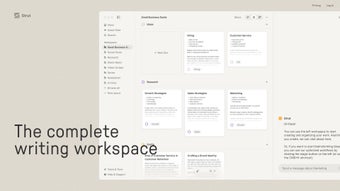

Download Strut – AI‑Powered Content Creation Tool for Writers, Teams & Marketers
Overview
Strut is an innovative AI‑driven content creation platform that turns rough, unstructured notes into polished, on‑brand copy with just a few clicks. Designed for solo creators, marketing teams, and agencies, Strut captures the essence of a user’s voice by analysing previous work and then reproduces that tone consistently across new drafts. The tool excels at repurposing existing material into multiple formats—blog posts, social media snippets, email newsletters, and more—thereby cutting down the time spent on manual rewrites.
One of its most compelling promises is privacy: Strut never uses personal or client content for external AI training, ensuring that sensitive data stays strictly within the user’s workspace. Whether you’re brainstorming ideas in a live chat, co‑editing a document with teammates, or simply need a fast way to transform bullet‑point ideas into a finished article, Strut delivers a seamless, secure, and efficient workflow. Its cloud‑based architecture guarantees that updates roll out instantly, keeping the software up‑to‑date without the need for manual patches.
In short, Strut empowers creators to focus on strategy and storytelling while the AI handles the heavy lifting of drafting, formatting, and tone‑matching.
Core Features & Benefits
- AI‑Enhanced Drafting: Convert bullet points, voice memos, or raw outlines into fully‑fledged articles, blog posts, or social media updates.
- Voice Preservation: The platform learns your unique writing style from past projects and reproduces it consistently across new content.
- One‑Click Repurposing: Transform a single piece of content into multiple formats—e.g., a blog post into a series of LinkedIn posts, tweets, or email snippets.
- Collaborative AI Chat: Real‑time brainstorming with an AI assistant that suggests headlines, sub‑headings, and data points while you edit.
- Co‑Editing Environment: Multiple team members can edit the same document simultaneously, with change tracking and comment threads.
- Privacy‑First Architecture: All user data stays encrypted on our servers and is never used to train external AI models.
- Cross‑Platform Sync: Work on Windows, macOS, iOS, or Android and see changes reflected instantly across devices.
- Smart Content Insights: AI analyzes readability, SEO keywords, and brand tone compliance, offering actionable suggestions.
The combination of these features creates a workflow that feels both powerful and intuitive. Writers no longer need to switch between multiple apps—research, drafting, editing, and publishing happen within a single, secure environment. For marketing teams, the collaborative chat and co‑editing tools reduce the back‑and‑forth of email threads, while the AI‑driven insights ensure each piece aligns with brand guidelines and SEO best practices. In addition, the privacy‑first stance gives agencies the confidence to handle client‑sensitive material without fearing data leakage. Overall, Strut’s feature set is engineered to accelerate content pipelines, improve consistency, and safeguard intellectual property—all at a price point that remains competitive in the crowded AI‑writing market.
Installation, Usage, Compatibility & Pros / Cons
Getting Started – Desktop (Windows & macOS)
Download the installer from the official Strut website. The Windows version is a lightweight .exe file (≈ 85 MB) while the macOS version comes as a signed .dmg package. Run the installer, follow the on‑screen prompts, and grant the necessary permissions for file system access.
After the first launch, you’ll be prompted to create a secure account using your email or SSO (Google, Microsoft). A two‑factor authentication (2FA) option is available for added security. Once logged in, the app automatically syncs with the cloud, pulling any existing projects you may have started on another device.
Mobile Experience – iOS & Android
For on‑the‑go creators, Strut offers native apps on the App Store and Google Play. Search for “Strut – AI Content Builder,” tap “Install,” and log in with the same credentials you use on desktop. The mobile UI mirrors the desktop experience: a streamlined note‑capture screen, AI‑generation button, and a real‑time collaborative chat pane. Offline mode lets you capture ideas without an internet connection; once you’re back online, the app syncs automatically.
System Requirements & Compatibility
Strut supports Windows 10 or later (64‑bit), macOS 11 (Big Sur) or later, iOS 14+, and Android 9+. Minimum hardware requirements include 4 GB RAM, 500 MB of free disk space, and a stable internet connection for AI processing. The software is optimized for both Intel/AMD and Apple Silicon processors, delivering comparable performance on M1/M2 chips.
Pros
- Fast transformation of rough notes into polished drafts.
- Consistent brand voice through AI learning.
- Robust privacy controls; no external data training.
- One‑click repurposing across multiple content formats.
- Real‑time collaborative editing and AI chat.
- Cross‑platform synchronization keeps work up‑to‑date.
Cons
- AI generation relies on internet connectivity; offline capabilities are limited to note capture.
- Advanced SEO suggestions are only available in the premium tier.
- Initial voice‑learning phase may require a small number of sample documents.
Overall, the pros outweigh the cons for most professional users. The occasional need for a stable internet connection is a reasonable trade‑off for the sophisticated AI capabilities Strut provides. Users who require intensive SEO optimization can upgrade to the premium plan, but the free tier already delivers substantial value for everyday content creation.
Frequently Asked Questions & Conclusion
Is Strut free to use?
Strut offers a free tier that includes unlimited note‑to‑draft conversion, basic voice preservation, and collaborative chat. Premium features such as advanced SEO insights, priority processing, and team admin controls are available through paid subscriptions.
How does Strut protect my data?
All content is encrypted both in transit (TLS) and at rest (AES‑256). Strut’s privacy policy explicitly states that user‑generated material is never used to train external AI models, and you can opt‑out of any data analytics beyond the core functionality.
Can I import existing documents into Strut?
Yes. The desktop app supports drag‑and‑drop of .docx, .txt, and .md files. Once imported, Strut analyses the document to extract your writing style and then allows you to repurpose the content into new formats.
Does Strut work offline?
The mobile apps let you capture notes offline, but AI generation and collaborative features require an internet connection. When you reconnect, all pending actions sync automatically.
What platforms does Strut integrate with?
Strut offers native integrations with popular CMS platforms such as WordPress, HubSpot, and Contentful, as well as direct publishing to LinkedIn, Twitter, and Medium via API connectors.
In summary, Strut stands out as a secure, AI‑powered ally for anyone who regularly transforms ideas into publishable content. Its ability to learn and mimic a writer’s unique voice, combined with one‑click repurposing and robust collaboration tools, makes it a valuable addition to any content workflow. Whether you’re a freelance blogger, a marketing manager, or part of a large agency, Strut can shave hours off your production schedule while keeping your brand voice consistent and your data private.
Ready to experience a smoother, smarter content creation process? Download Strut now and start turning rough notes into polished, on‑brand pieces in seconds.
Pros: Fast drafting, voice preservation, privacy‑first, cross‑platform sync.
Cons: Requires internet for AI, premium SEO locked behind paywall.



.png)



